Changing the mailing address of your Videotron customer account
In the Business Customer Centre go to Your Address and then Change your address.
Changing your email address for correspondence
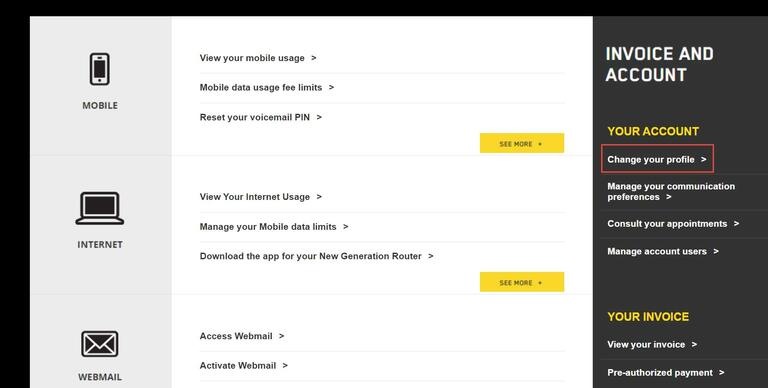
- In the Business Customer Centre, select Your Account and then Change your profile.
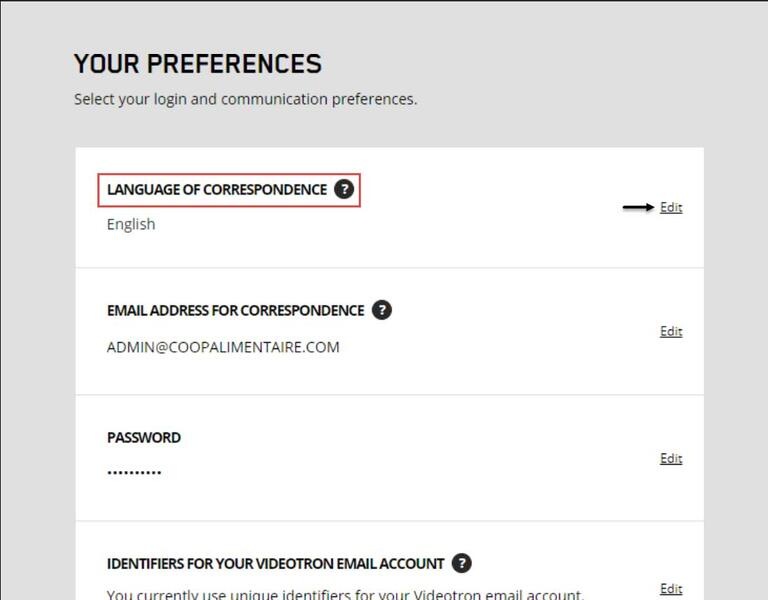
- Under Email address for correspondence, click edit.
Changing your language of correspondence
- In the Business Customer Centre, select Your Account and then Change your profile.
- Under Language of correspondence, click Edit.
Setting your communication preferences
Videotron sends various types of communications, including information about its products, promotions, and new releases and notices about your services. Visit your Business Customer Centre to subscribe to or unsubscribe from these communications.
Business Customer Centre account
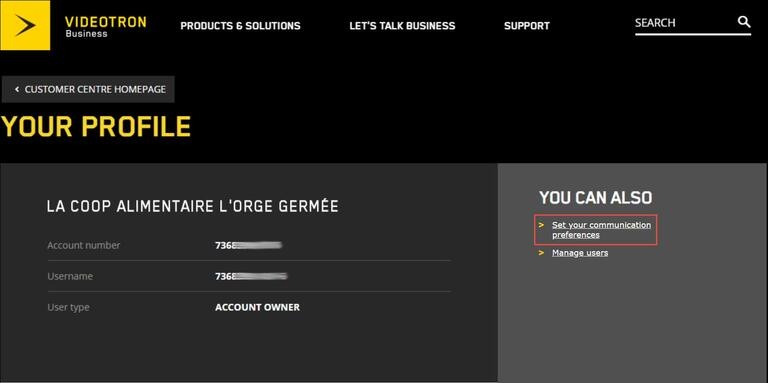
- Go to the Your Account section and select Set your communication preferences.
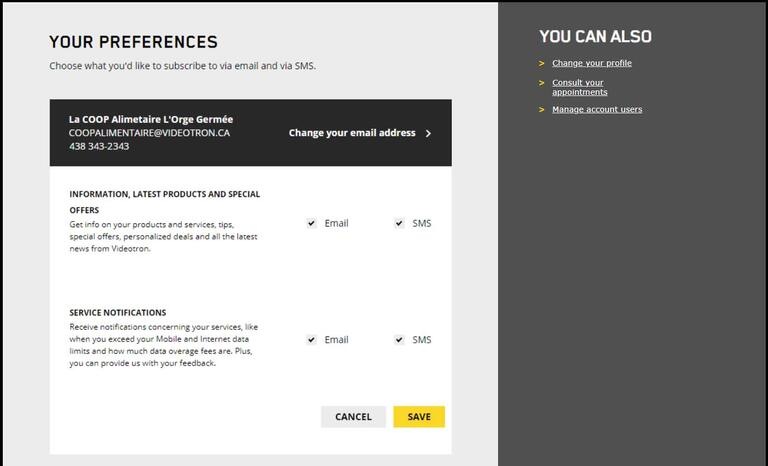
- Choose your communication preferences by checking the desired boxes.
Enabling Internet data usage alerts
Avoid unpleasant surprises and receive notifications when your mobile data usage approaches or exceeds your plan’s limit.
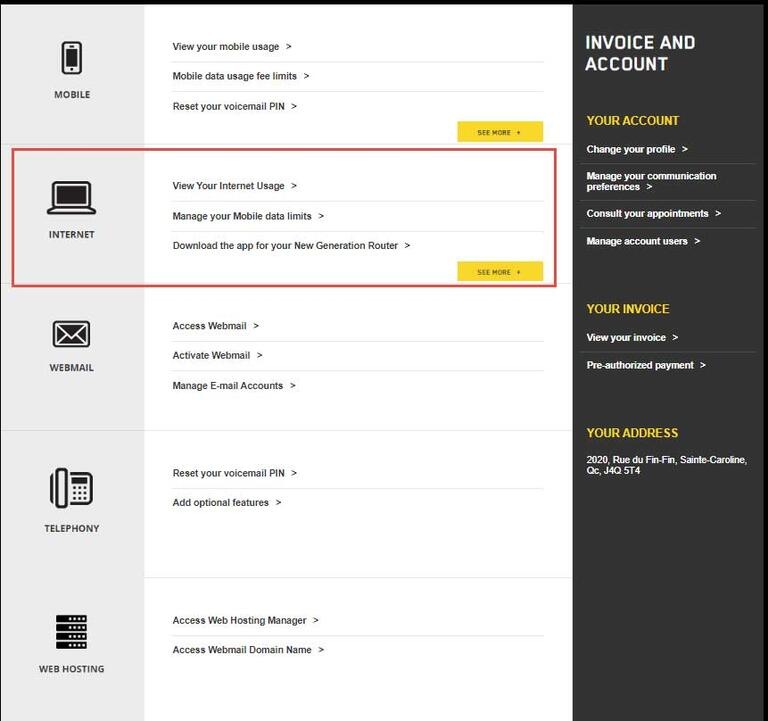
- Under the Internet tab in your Business Customer Centre, select View your Internet usage.
- Choose the usage threshold (75%, 90% or 100%) that will trigger an email or text message to be sent. Once this threshold is reached, you will receive preventive notifications. If you exceed your plan’s limit, an alert will be sent to you. These notifications will be sent to you by email at the address indicated in your file or, if you have a Videotron Mobile plan, by text message.
Need more help?

Customer Service
For any questions about your account or invoice, or to modify or add services.
 1 877 512-8590
