A digital space to manage all your Videotron Business services
The Business Customer Centre allows you to view your bills and the services you subscribe to, as well as change your payment method, online.
PLEASE NOTE : The Customer Centre+ app is not available, at the moment for the Business customers.
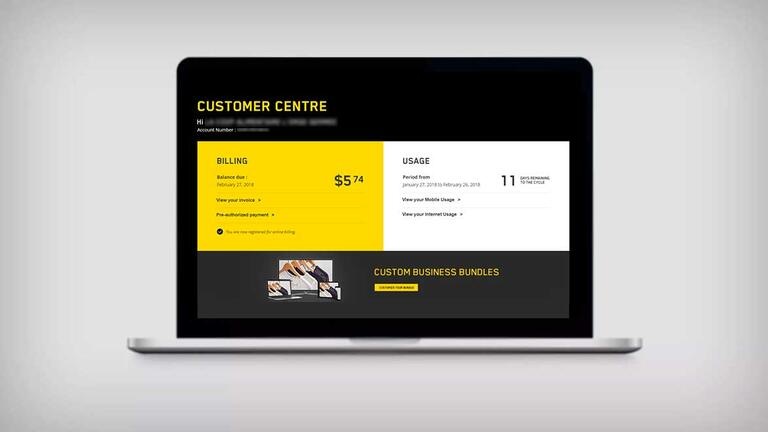
Convenient features at your fingertips for your Business account
Here’s what you can do in the Business Customer Centre.

Manage your account with just one click
- Change your profile
- Manage your communication preferences
- Manage account users
- Check your appointments

Manage your bill
- Manage your online billing
- View your balance
- Sign up for preauthorized payments
- View and download your previous bills
- Quickly find billing information

Manage your Internet plan
- Get an overview of your Internet plan
- Monitor your data usage in real time
- Get notifications to avoid exceeding your data limit

Manage your mobile data usage
- Monitor your mobile data usage in real time
- Monitor your airtime and text messaging usage
To add Mobile Data Add-ons, contact the Business Customer Service

Access the Business Telephony options
- Manage your Telephony options
- Reset your voicemail PIN
- Manage your Voicemail to Email
How to sign up to the Business Customer Centre?
When you subscribe to Videotron Business services, the Customer Service Representative will suggest that you consult the Videotron Business website to sign up to the Business Customer Centre. Upon your request, an activation email to access the sign up page can be sent to you. You can also sign up online to the Business Customer Centre without an activation email.
How do I log in to the Business Customer Centre
You must sign up to the Business Customer Centre before trying to log in. Once you’ve signed up, go to the Business Customer Centre login page via the Videotron navigation bar. Enter your username and password and click on Log in
Good to know
Need more help?

Customer Service
For any questions about your account or invoice, or to modify or add services.
 1 877 512-8590
