Bandwidth usage
Assign a bandwidth limit to your networks (personal and/or guest) to prevent your activities from being affected by overuse.
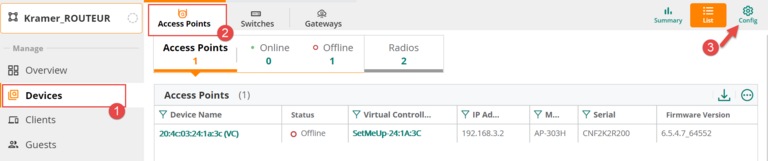
1. Select Group, then Devices, then click on the configuration icon.
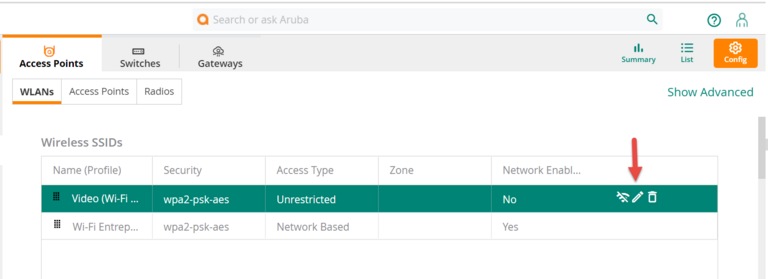
2. Select the Wi-Fi network, then click on the pencil icon to activate edit mode.
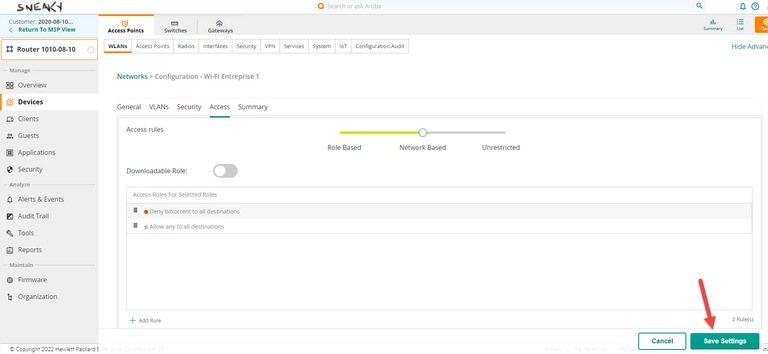
3. Select Access, then click on the + sign to add a new rule.
4. In the dropdown menu, select the Bandwidth Contract rule.
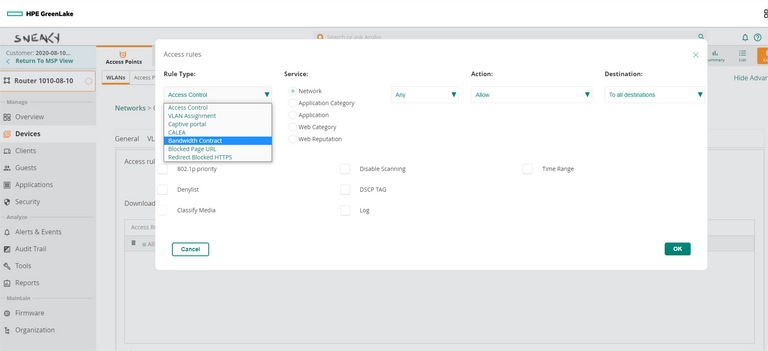
5. Set a bandwidth limit (general or by user).
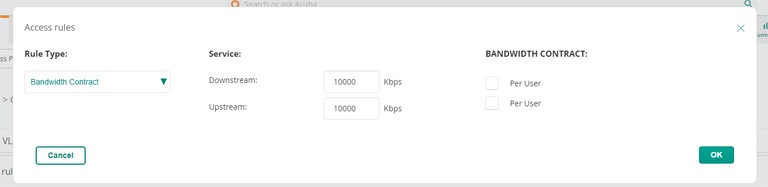
6. Click on OK, then on Save Changes.
Still need help?

Customer Service
For any questions about your account or invoice, or to modify or add services.
 1 877 512-8590
