Accessing the call recording portal
The call recording portal is in the cloud. To access the portal, go to callrecording.videotron.com.
You will be redirected to the AI interface or the classic interface, based on your profile.
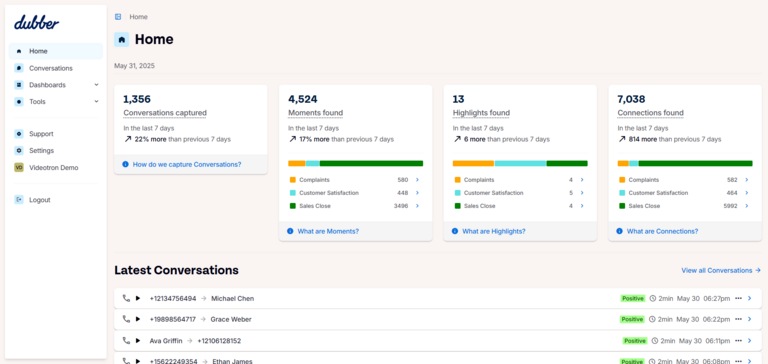
Display with AI features enabled
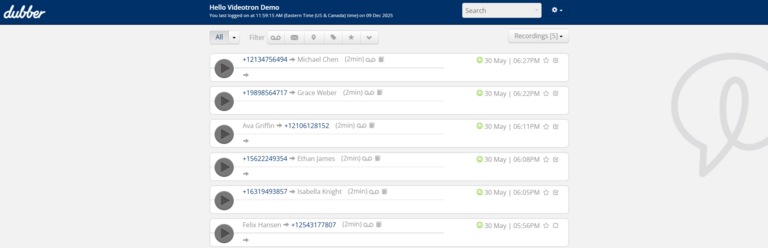
Display without AI features
Managing your user profile in the portal
In your profile, you can change your username, password, name, and phone number.
AI interface
- Click on your username under the Settings tab in the side menu. The window in which you manage your profile will open in a new browser tab.
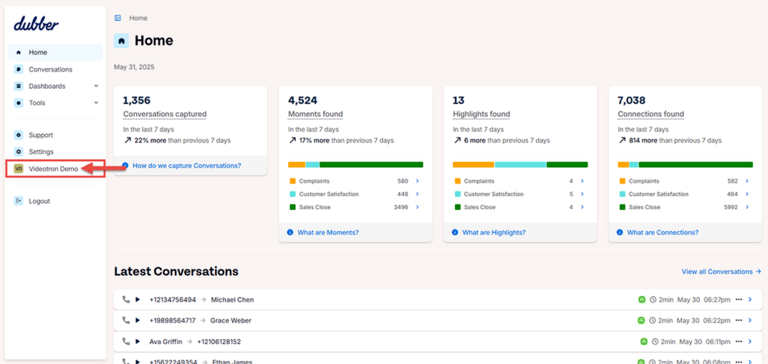
- Click on Change and/or make the necessary changes in the fields.
- Click on Save Changes
Classic interface
- Click on the gear icon in the top right, then select Profile.
- Click on Change and/or make the necessary changes in the fields.
- Click on Save Changes.

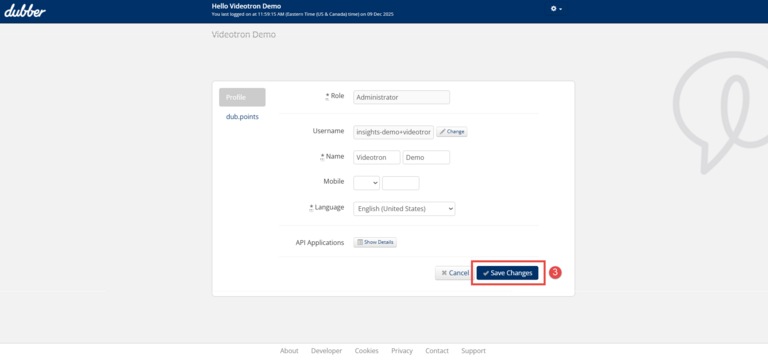
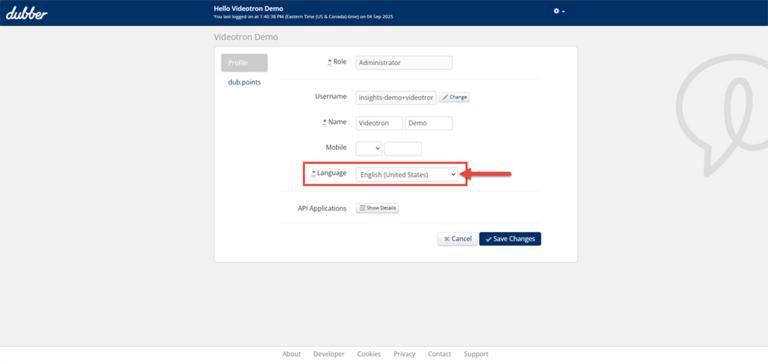
Changing portal language
You can change the language in which the portal content is displayed where the profile management section is located.
Resetting your password
Note : When you voluntarily change your password, you must follow this procedure.
To reset your password and access the call recording portal, follow the steps below:
- Access the portal.
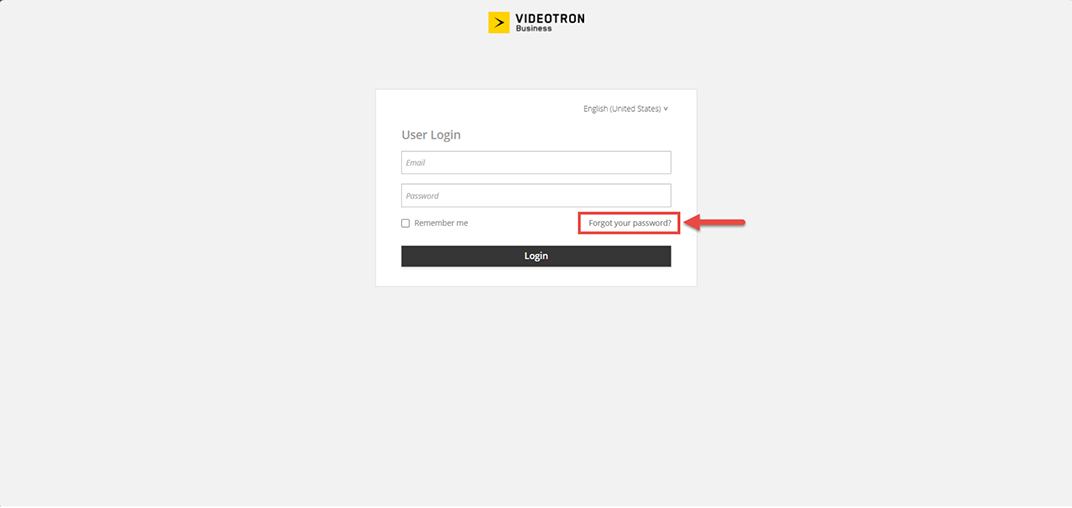
- In the login window, click on Forgot Password?
- Enter your email address and click Submit.
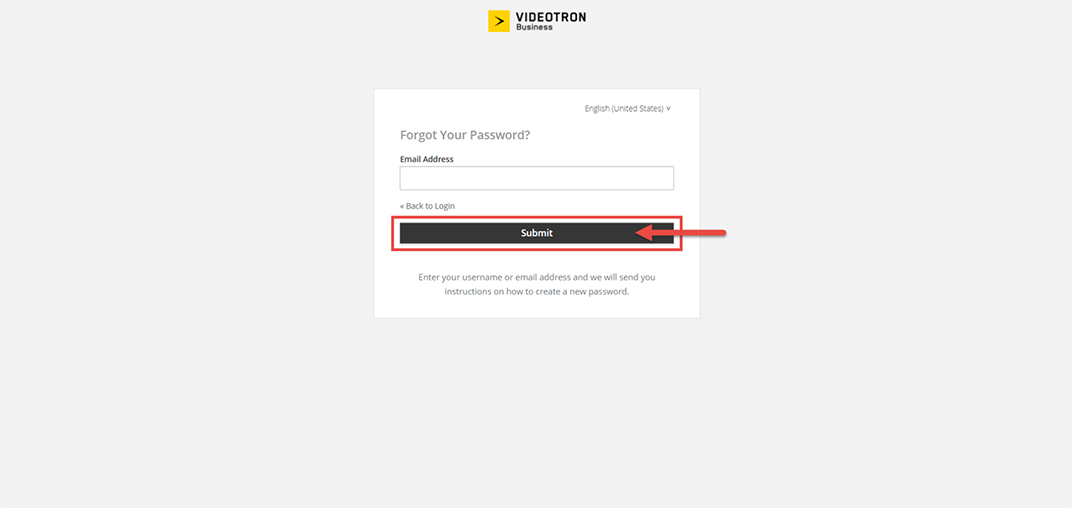
- Follow the instructions you will receive by email.
Not yet a Videotron Business customer?
Call recording is an advanced option available with Cloud Communications to meet all your telephony and business communications needs. Discover Cloud Communications
More need help

Customer Service
For any questions about your account or invoice, or to modify or add services.
 1 877 512-8590
