The portal provides superior security when it comes to sharing call recordings. Thus, rather than downloading and then sending a recording to a recipient, a secure link is sent to them, allowing them to listen to the recording. This means that the recording cannot be copied or modified.
The person you want to share the recording with does not need to have access to the portal.
Links sent to third parties are only accessible for 24 hours or 50 listens, whichever comes first.
How to share a recording
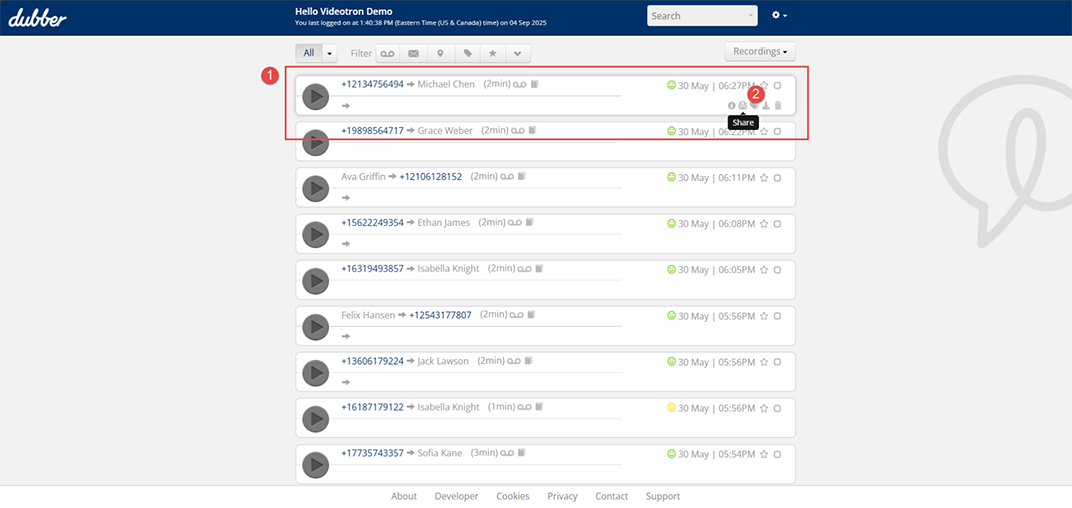
- Find the recording you wish to share.
- Click on the envelope icon.
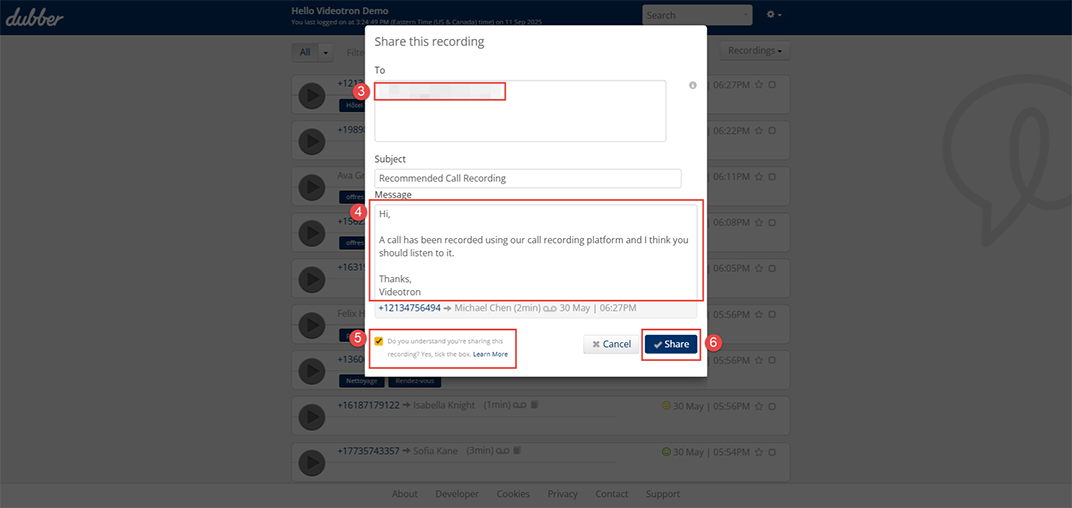
- Enter the recipient's email address.
- If necessary, modify the content of the message to add context.
- Check the Do you understand you’re sharing this recording?
- Click on Share.
Listening to a shared recording
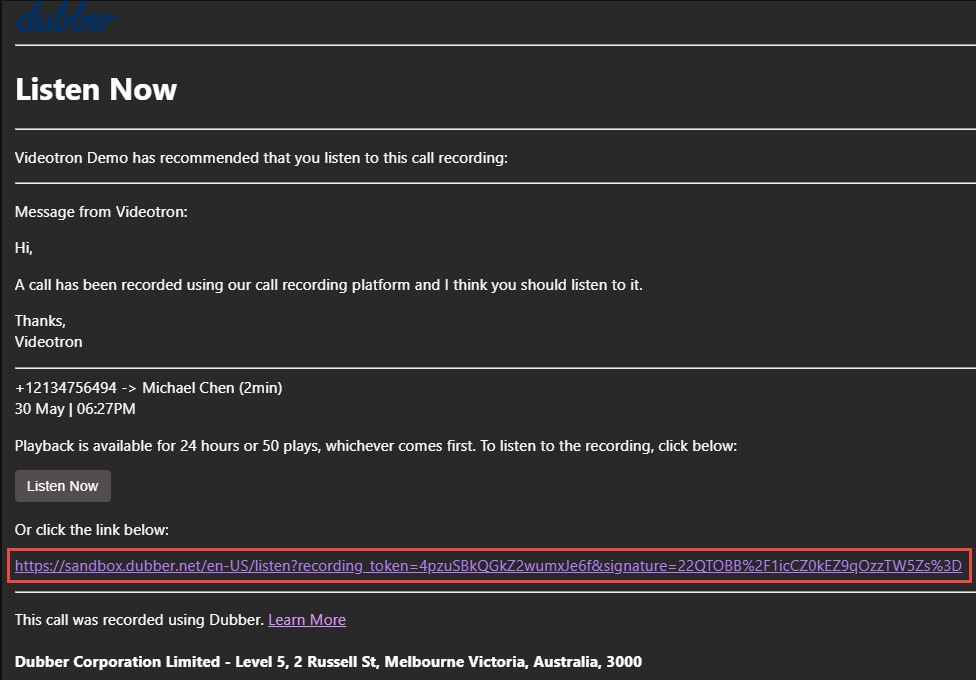
The recipient of the shared recording will receive a link via email. Said recipient will only have to click on the Listen now button to access the recording on the portal.
Shared recordings cannot be downloaded. They will be available for 24 hours or 50 listens, whichever comes first.
Not yet a Videotron Business customer?
Call recording is an advanced option available with Cloud Communications to meet all your telephony and business communications needs. Discover Cloud Communications
More need help?

Customer Service
For any questions about your account or invoice, or to modify or add services.
 1 877 512-8590
