
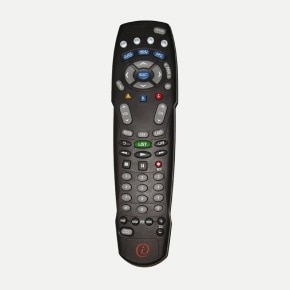
AT-8400 remote

This allows you to find a compatible programming code for your device from the list of codes in the remote control.

  1. Turn on the device to be programmed.
  2. Hold down the SELECT button and one of the TV, VCR, or AUX buttons (depending on the device to be programmed) until it lights up in red.
  3. Enter code 9, 9, 1. The button will flash twice.
  4. Point the remote control at the device and hold down the PLAY button. This operation may take several minutes as all codes are tested one by one.
  5. As soon as the device turns off, release the PLAY button, then press SELECT.
  6. Press the POWER button. If the device turns back on, press SELECT to lock in the code.
  7. If this fails, repeat the procedure.

Was this article helpful?

forum communaute

Ask the Community

Any specific questions? Ask it on our forum and see how experts or other users have solved a similar problem.
Contact us

Enjoy fast, real-time service, from your computer or mobile device.

Find a store

Come see us in one of our 121 stores and enjoy a unique customer experience.