How to troubleshoot your remote control for illico

Your illico remote isn’t working? Discover how you can solve the problem on your own.

Subscribed to Helix? Learn how to troubleshoot issues with your voice remote.

Checking the basics

  1. Check that the remote’s batteries are working. Replace them when in doubt.
  2. If your remote has multiple modes (TV, CBL, VCR, etc.) and no longer controls your terminal, press the CBL key to make sure it’s in Cable mode.
  3. If possible, test your remote on another terminal to ensure the problem is with the remote.

Determine if the problem is caused by the TV

What is automatic TV brightness calibration?

Automatic TV brightness calibration is a process of measuring brightness using infrared rays to detect the light level in the room in order to automatically adjust the TV accordingly. There are several manufacturers that incorporate this device.

This technology may, on occasion, conflict with the terminal’s operation since its infrared sensor does not distinguish between the infrared signals emitted by the remote and those coming from the television set.

Possible symptoms of such conflict:

  • The terminal changes channel on its own.
  • The terminal cannot be controlled with the remote.
  • The remote operates intermittently.

If the remote only works when the TV is off, turn off the brightness feature.
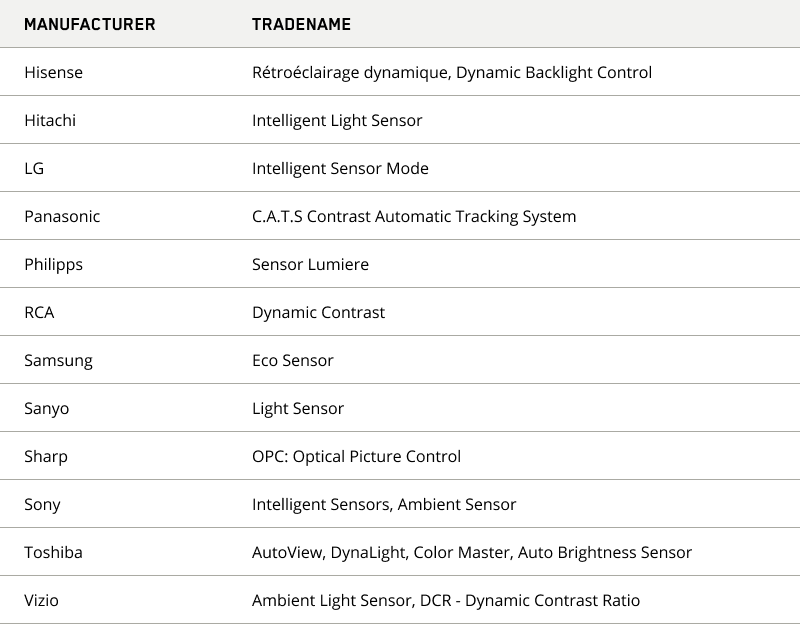
List of different terms associated with the automatic brightness calibration of TVs.

Tableau denomination francais fabricants

Resetting your remote

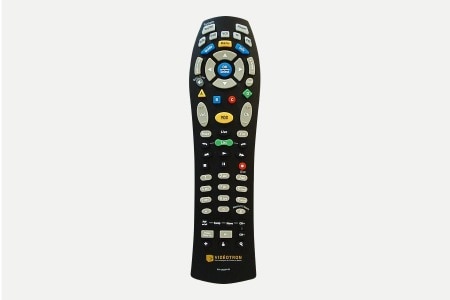
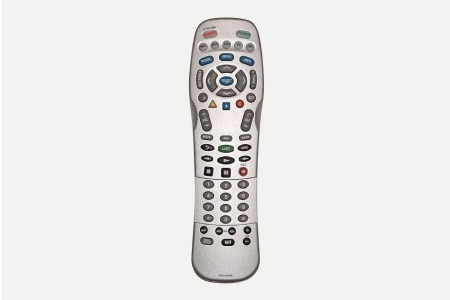
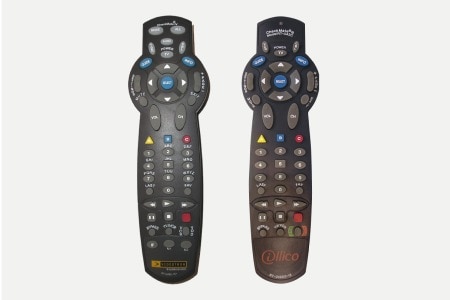
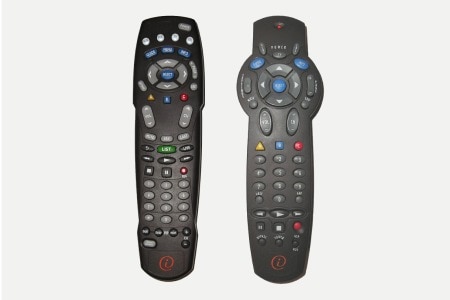
If your illico remote is still not working properly, we recommend that you reset it to its default settings. Find your remote control in the images below and follow the reset steps.

After this process, remember to reprogram your remote, if necessary.
telecommande uei 450 x 300

New Generation remote (UEI)

  1. Hold down the OK/SELECT and MUTE keys until the TV flashes twice.
  2. Press the 9, 7, 7 keys.
  3. The TV key will flash three times.
telecommande rt-u63p 450 x 300

RT-U63P remote

  1. Hold down the CBL and OK/SELECT keys until the CBL key remains on.
  2. Press the 1 key.
  3. The CBL key will flash three times.
telecommande ur5 8400 450 x 300

UR5-8400A remote

  1. Hold down the CBL and REC keys for 10 seconds.
  2. The mode keys (CBL, TV, VCR, DVD, AUD) will flash successively to confirm return to the default settings.
telecommandes rt u49c et rt u43co 450 x 300

RT-U49C and RT-U43CO remotes

  1. Hold down the SELECT and CBL keys until the CBL key remains on.
  2. Press the SETTINGS key twice.
  3. The CBL key will flash and turn off to confirm.
telecommande at8400 et e2050 450 x 300

AT8400 and E2050R remotes

  1. Hold down the CBL and SELECT keys until the LED flashes twice.
  2. Press the 9, 8, 1 keys.
  3. The LED will flash twice to confirm.
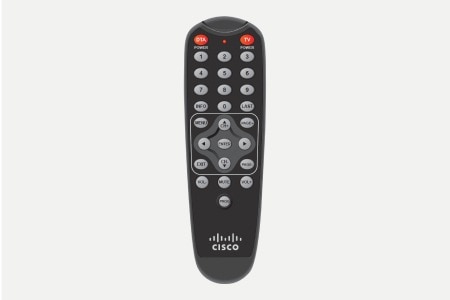
telecommande dta hda ir22 450 x 300

HDA-IR2.2 remote

  1. Hold down the PROG, DTA, and ENTER keys for 2 seconds.
  2. The LED will flash twice to confirm return to the default settings.
 
Couldn’t solve the problem with your remote?

Contact Technical Support anytime. For additional information about using your remote, refer to the User Guide.


Was this article useful?